Indicators and values
A complete reference of every block that produces a value in AlgoPuzzle: the 19 indicators, candle prices, numbers, pips, volume and spread, the math blocks, and the Advanced blocks that read a value from an earlier candle or another timeframe.
Last updated
Values are the numbers your conditions compare. They come from two drawers: Indicators (19 blocks, from Moving Average and RSI to Ichimoku and Money Flow Index) and Price & Numbers (candle prices, highest high / lowest low, a number, pips, volume and the current spread). The Advanced drawer can read any value as it was N candles ago or on another timeframe, and do simple math such as 2 x ATR. Two values can only be compared when they measure the same kind of thing, for example a price with a price or an oscillator with a number.
How values work
A value block has a rounded connector on its left side. It never does anything on its own: you plug it into a slot of a condition (for example the two sides of a comparison or of crosses above), into a math block, or into the Stop Loss / Take Profit slot of a trade. Empty slots show a grey value placeholder; dropping a block on it fills the slot.
Every number or dropdown on a block can be changed by clicking it. You can also find any block by typing in Search blocks above the drawers, for example "ema", "bollinger" or "atr".
Which candle is read
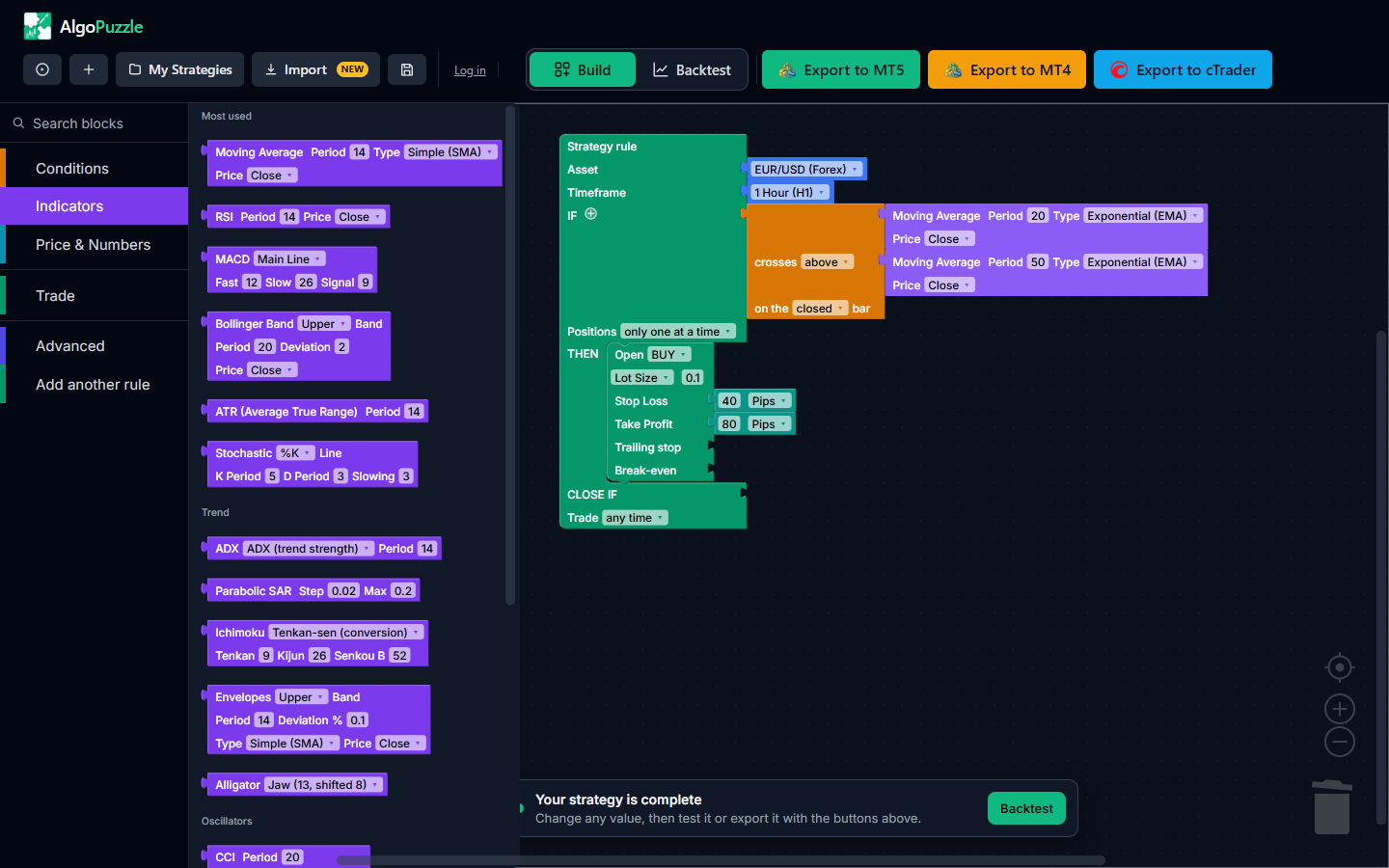
Rules are checked once per new candle of the rule's timeframe, right after that candle opens. An indicator block on its own reads the candle that has just opened (the live bar). Most traders want the value of the last completed candle, which is what a chart shows once the candle has closed. You get it in either of two ways:
- set the comparison, crosses or rising / falling block to on the closed bar (see Conditions), or
- wrap the value in as of 1 bars ago from the Advanced drawer (see below).
Indicators
The Indicators drawer groups its blocks under four headings: Most used, Trend, Oscillators and Volatility & volume. The tables list each block with its settings and default values, what it measures and a typical use. The Kind column tells you what the value can be compared with (see Which values can be compared).
Many indicators have a Price setting that chooses which candle price is used: Close (the default), Open, High, Low, Median (H+L)/2, Typical (H+L+C)/3 or Weighted (H+L+2C)/4. Moving average types are Simple (SMA) (the default), Exponential (EMA), Smoothed (SMMA) and Linear Weighted (LWMA), matching the MetaTrader methods of the same name.
Most used
| Block | Settings (default) | What it measures | Typical use | Kind |
|---|---|---|---|---|
| Moving Average | Period (14), Type (Simple), Price (Close) | The average price over the last N candles, a smoothed line that follows the trend. | Trend filter (price above the 200 MA) or a crossover of a fast and a slow average. | Price |
| RSI | Period (14), Price (Close) | Relative Strength Index: the speed of recent gains against losses, from 0 to 100. | RSI below 30 as oversold, above 70 as overbought. | Oscillator (0-100) |
| MACD | Line: Main Line, Signal Line or Histogram; Fast (12), Slow (26), Signal (9) | The difference between a fast and a slow moving average, its signal line, and the gap between the two. | Main line crossing above the signal line, or the histogram crossing 0. | MACD |
| Bollinger Band | Band: Upper Band, Middle Band or Lower Band; Period (20), Deviation (2.0), Price (Close) | A moving average with bands a number of standard deviations above and below it. | Previous Close below the lower band as a stretched move. | Price |
| ATR (Average True Range) | Period (14) | Average size of a candle's range, a measure of volatility in price units. | Volatility-based stop loss, such as 2 x ATR. | Volatility |
| Stochastic | Line: %K Line or %D Line; K Period (5), D Period (3), Slowing (3) | Where the close sits inside the recent high-low range, from 0 to 100. | %K crossing above %D below 20. | Oscillator (0-100) |
The fast MACD period must be smaller than the slow one. MetaTrader draws the MACD signal line as a simple average and cTrader as an exponential one, so Signal Line and Histogram values differ slightly between the two platforms, exactly as they do on their own charts.
Trend
| Block | Settings (default) | What it measures | Typical use | Kind |
|---|---|---|---|---|
| ADX | Line: ADX (trend strength), +DI or -DI; Period (14) | Average Directional Index (Welles Wilder): how strong the trend is, and whether buyers (+DI) or sellers (-DI) lead. | ADX above 25 as a trending market; +DI above -DI for buys. | ADX / DI |
| Parabolic SAR | Step (0.02), Max (0.2) | A trailing price level that flips sides when the trend turns. | Price above the SAR suggests an uptrend, below it a downtrend. | Price |
| Ichimoku | Line: Tenkan-sen (conversion), Kijun-sen (base), Senkou Span A (cloud) or Senkou Span B (cloud); Tenkan (9), Kijun (26), Senkou B (52) | Ichimoku Kinko Hyo lines. Senkou Span A and B give the cloud under the candle being read, as drawn on the chart. | Price above both Senkou Span A and B means price is above the cloud. | Price |
| Envelopes | Band: Upper Band or Lower Band; Period (14), Deviation % (0.1), Type (Simple), Price (Close) | A moving average shifted up and down by a fixed percentage (0.1 = 0.1%). | Fading moves that close outside the envelope. | Price |
| Alligator | Line: Jaw (13, shifted 8), Teeth (8, shifted 5) or Lips (5, shifted 3) | Bill Williams' Alligator: smoothed moving averages of the median price with the standard periods and forward shifts. | Lips above Teeth above Jaw is the classic uptrend reading. | Price |
Oscillators
| Block | Settings (default) | What it measures | Typical use | Kind |
|---|---|---|---|---|
| CCI | Period (20), Price (Typical (H+L+C)/3) | Commodity Channel Index: how far price is from its average, swinging around 0. | Above +100 or below -100 as overbought / oversold. | CCI |
| Williams %R | Period (14) | Williams Percent Range: the close against the recent range, from -100 to 0. | Above -20 as overbought, below -80 as oversold. | Williams %R |
| Momentum | Period (14), Price (Close) | Price now divided by price N candles ago, x 100. Above 100 means price is higher than N candles ago. | Momentum crossing above 100 as a sign of strength. | Momentum |
| DeMarker | Period (14) | Compares recent highs and lows with earlier ones, from 0 to 1. | Above 0.7 as overbought, below 0.3 as oversold. | DeMarker |
| Bulls Power / Bears Power | Choose Bulls Power or Bears Power; Period (13) | Elder's Bulls Power (high minus an EMA) or Bears Power (low minus an EMA). | Bulls Power above 0 and Bears Power below 0 are the usual readings in a healthy trend. | Bulls / Bears Power |
| Awesome Oscillator / Accelerator Oscillator | Choose Awesome or Accelerator; no other settings | Bill Williams' Awesome Oscillator (a 5 against a 34 candle average of the median price) or Accelerator Oscillator. | Crossing 0 is the classic signal. | Awesome / Accelerator |
Volatility and volume
| Block | Settings (default) | What it measures | Typical use | Kind |
|---|---|---|---|---|
| Standard Deviation | Period (20), Price (Close) | How widely price is spread around its average, in price units, like ATR. | Sizing a stop loss (2 x Standard Deviation) or comparing with ATR. | Volatility |
| Money Flow Index | Period (14) | An RSI that also weighs tick volume, from 0 to 100. | Above 80 as overbought, below 20 as oversold. | Oscillator (0-100) |
Note.Overbought and oversold levels in these tables are common conventions, not rules that work. Test any level you pick with a backtest before relying on it.
Price & Numbers
The Price & Numbers drawer has three groups: Price, Numbers and Market.
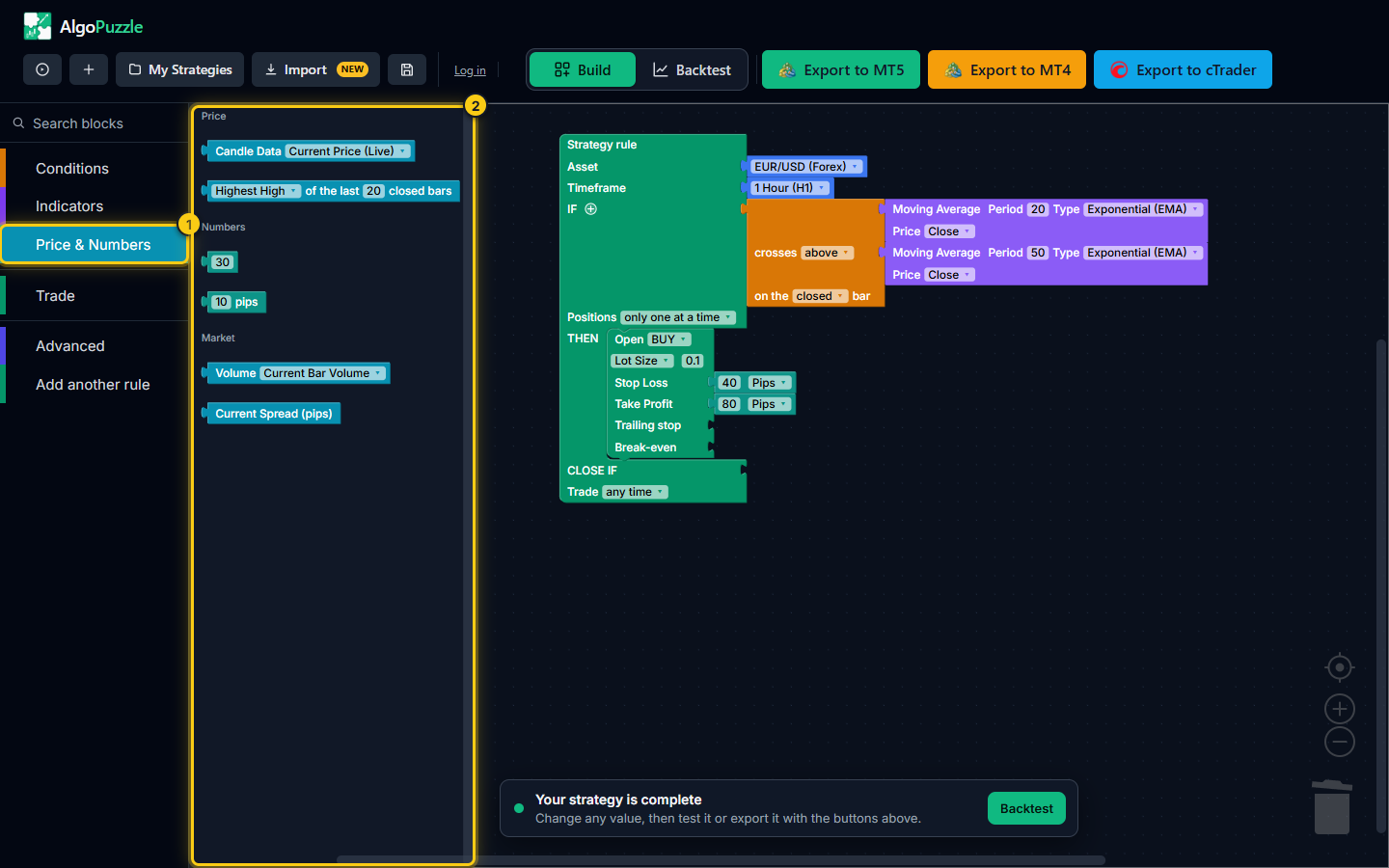
- The drawer.
- Candle data, Highest High / Lowest Low, numbers, pips, volume and the current spread.
| Block | Options (default) | What it gives | Kind |
|---|---|---|---|
| Candle Data | Current Price (Live), Previous Open [1], Previous Close [1], Previous High [1], Previous Low [1] | The live bid price, or the open, close, high or low of the last completed candle ([1] means one candle back). | Price |
| Highest High / Lowest Low of the last N closed bars | Highest High or Lowest Low; N (20) | The highest high or lowest low of the last N completed candles. The candle still forming is not included. | Price |
| Number | Any number (30 in the drawer) | A fixed number, such as 30 for an RSI level or 1.1000 for a price level. | Number (fits anywhere) |
| pips | Distance in pips (10) | A distance in pips, turned into a price distance for the rule's asset. | Number |
| Volume | Current Bar Volume, Previous Bar Volume [1] | Tick volume (the number of price changes) of the current or the previous candle. | Volume |
| Current Spread (pips) | No settings | The live spread in pips. | Spread |
Typical uses
- Breakout: Current Price (Live) > Highest High of the last 20 closed bars.
- Distance from an average: Current Price (Live) - Moving Average > 20 pips (built with the minus block from Advanced).
- Spread filter: Current Spread (pips) < 2, so the strategy skips entries while spreads are wide, for example around news or the daily rollover.
- Volume confirmation: Current Bar Volume > Previous Bar Volume [1].
What a pip is
The pips block (and the Pips unit of stop loss and take profit) follows the usual convention: on symbols quoted with 3 or 5 decimals, one pip is 10 points; on symbols with 2 or 4 decimals, one pip is one point. On EURUSD (5 decimals) one pip is therefore 0.0001, and on USDJPY (3 decimals) it is 0.01. For gold, indices and crypto the size of a pip depends on how many decimals your broker quotes, so check the symbol's digits in your platform before you choose pip distances for them.
Advanced: earlier candles, other timeframes and math
The Advanced drawer has two groups. Read a value differently holds the blocks that change which candle or which timeframe a value is read from; Math holds arithmetic. All four blocks take another value inside them.
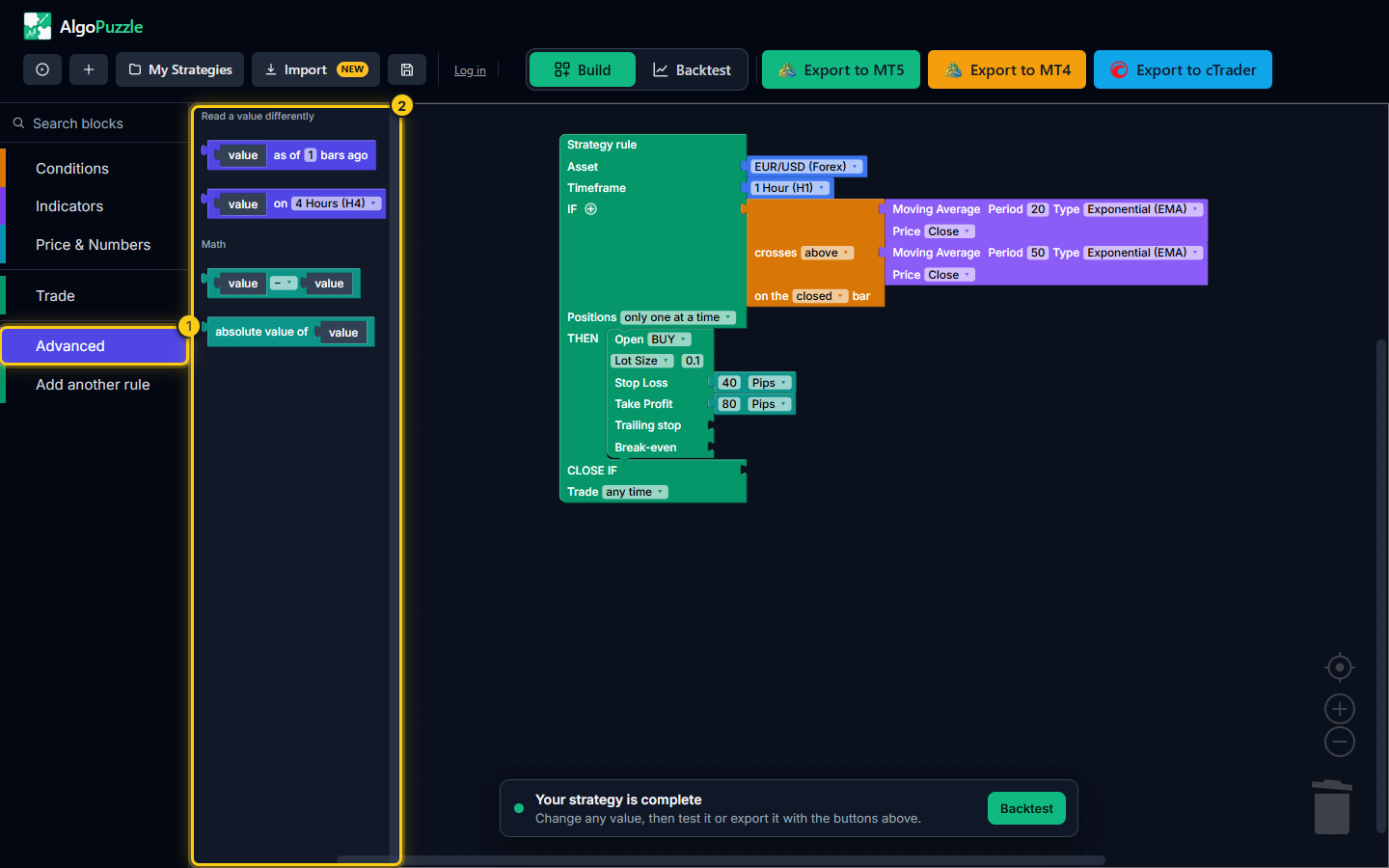
- The drawer.
- Blocks that read a value from an earlier bar or another timeframe, and math blocks.
| Block | Settings (default) | What it does |
|---|---|---|
| as of N bars ago | N from 0 to 500 (1) | Reads the value inside as it was N candles ago. Works on any value, including math. |
| on <timeframe> | 1 Minute to 1 Month (4 Hours in the drawer) | Calculates the value inside on a different timeframe than the rule's. |
| Arithmetic | Operator: x, +, -, / (minus in the drawer) | Multiplies, adds, subtracts or divides two values. |
| absolute value of | No settings | Removes the sign of the value inside. |
as of N bars ago
Use it to look back. RSI as of 1 bars ago is the RSI of the last completed candle; Moving Average as of 5 bars ago is where the average was five candles earlier, so "MA > MA as of 5 bars ago" means the average has risen over five candles. 0 means the candle that has just opened, which is the same as using the value on its own.
on <timeframe> (multi-timeframe)
A rule runs on one timeframe, but a value inside it can come from another. Put an RSI inside on 4 Hours in a 15-minute rule and the rule still checks its condition on every new 15-minute candle, while that RSI is calculated on 4-hour candles. This is the usual way to add a higher-timeframe trend filter, for example "price above the 200 Moving Average on 1 Day". An as of N bars ago block inside an on block counts candles of that other timeframe.
Math: arithmetic and absolute value
- Multiply (x): 2 x ATR as a volatility-based stop loss, or 1.5 x a pips value. A plain number can multiply anything.
- Add (+) and subtract (-): need two values of the same kind, for example Current Price - Moving Average (two prices), or a price + pips.
- Divide (/): ATR 14 / ATR 50 gives a plain ratio that tells you whether volatility is above or below normal; ATR / 2 is still a volatility. Division by zero gives 0.
- Absolute value: absolute value of (Previous Close - Previous Open) is the size of the last candle's body whether it was up or down.
Math blocks can be nested, and the result can go into a condition or into the Stop Loss / Take Profit slot of a trade. See ATR-based stops.
Which values can be compared
A comparison only makes sense between values measured in the same unit. AlgoPuzzle checks this as you build: a block of the wrong kind will not snap in, or it is pushed back out with a message such as "Can't compare a price value to a volume value - different units. Disconnected the second block." The same check applies to crosses above / below, is between, and to adding, subtracting and multiplying.
| Kind | Blocks | Can be compared with |
|---|---|---|
| Price | Candle Data, Highest High / Lowest Low, Moving Average, Bollinger Band, Parabolic SAR, Ichimoku, Envelopes, Alligator | Any other price, or a number (a price level such as 1.1000) |
| Oscillator (0-100) | RSI, Stochastic, Money Flow Index | Each other, or a number |
| Volatility | ATR, Standard Deviation | Each other, or a number |
| MACD | MACD (main, signal, histogram) | Another MACD line, or a number (such as 0) |
| ADX / DI | ADX, +DI, -DI | Another ADX line, or a number (such as 25) |
| CCI, Williams %R, Momentum, DeMarker, Bulls / Bears Power, Awesome / Accelerator | Each is its own kind, because each uses its own scale | The same indicator (for example two CCI periods), or a number |
| Volume | Volume | Another volume, or a number |
| Spread | Current Spread (pips) | A number |
| Number | Number, pips | Anything |
The as of N bars ago, on <timeframe> and absolute value of blocks take the kind of the value inside them. A math result takes the kind of its inputs: price - price is a price, ATR / ATR is a plain number.
Tip.The stop loss size block from the Trade drawer (Pips, % of Entry Price, Raw Price Distance) is a distance for a stop loss or take profit only. It cannot go into a condition; the builder removes it with the message "That block can't be used inside a Condition - it's meant for Stop Loss / Take Profit instead." Use the pips block from Price & Numbers when a condition needs a distance.
Frequently asked questions
Which indicators does AlgoPuzzle have?
AlgoPuzzle has 19 indicator blocks: Moving Average, RSI, MACD, Bollinger Band, ATR, Stochastic, ADX, Parabolic SAR, Ichimoku, Envelopes, Alligator, CCI, Williams %R, Momentum, DeMarker, Bulls Power / Bears Power, Awesome / Accelerator Oscillator, Standard Deviation and Money Flow Index. Price & Numbers adds candle prices, highest high / lowest low, numbers, pips, volume and the current spread.
Why will a block not snap into my comparison?
Two values can only be compared when they measure the same kind of thing, for example a price with a price, or an oscillator with a number. A price against a volume, or RSI against CCI, is refused with a short message such as "Can't compare a price value to a volume value - different units". A plain number can be compared with anything.
How do I use the RSI of a higher timeframe inside a 15-minute rule?
Drag the "on" block from Advanced into the slot, choose the timeframe (for example 4 Hours) and put the RSI block inside it. The rule still runs on 15-minute candles, but that value is calculated on 4-hour candles.
What is the difference between Current Price and Previous Close?
Current Price (Live) is the live bid price at the moment the rule is checked, which is right after a new candle opens. Previous Close [1] is the close of the last completed candle.
Does an indicator read the live candle or the last closed candle?
An indicator block on its own reads the candle that has just opened. Set the comparison to "on the closed bar", or wrap the value in "as of 1 bars ago", to read the last completed candle, the way it looks on a chart once the candle has closed.
Are the indicators the same as in MetaTrader and cTrader?
They use the standard calculations of the same name, so the exported strategy reads them from the platform itself. One known difference: MetaTrader draws the MACD signal line as a simple average and cTrader as an exponential one, so MACD Signal and Histogram values differ slightly between the two platforms, as they do on their own charts.
Can't find what you need? Email support@algopuzzle.com.